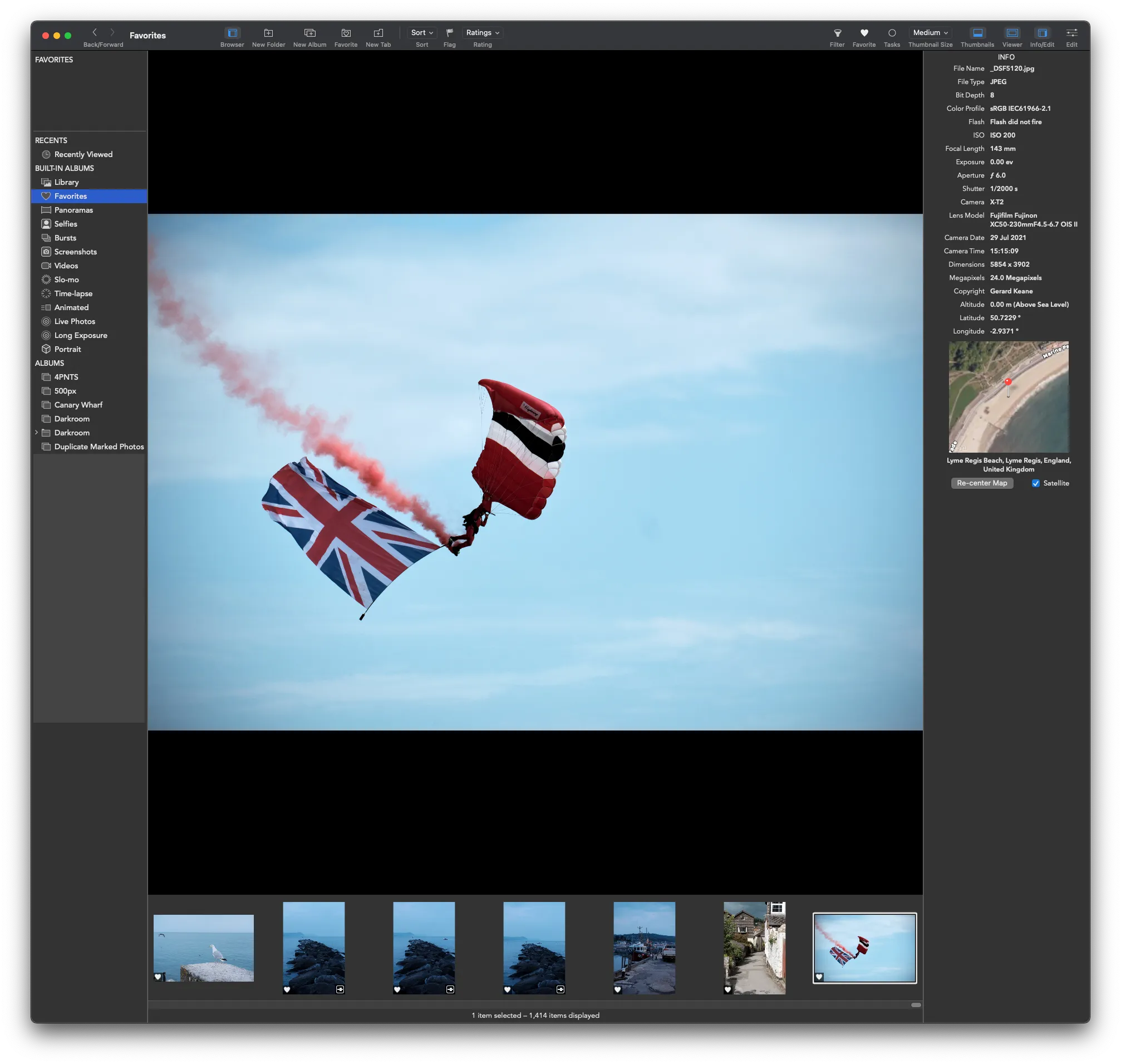
In a post on the Gentlemen Coders Blog Nik Bhatt, developer of Raw Power for iOS and macOS, has announced Extended Raw, finally freeing Raw Power from the grips of Apple’s spotty Raw Camera format support.
I used Raw Power for a couple of years. It’s a fantastic application, developed by a former Senior Developer of Engineering at Apple. Which is to say, Nik previously was responsible for Aperture before it was dumped in favour of Apple Photos. Aperture and Photos are not truly equivalent as software.
Raw development
To look at the bigger picture for a moment, it would help to have a high level overview of the need for RAW developers. DSLR and Mirrorless cameras made by manufacturers such as Canon and Nikon have the ability to not only output jpeg format, but the raw data captured by the sensor. Theoretically, this allows more scope when editing the file, as there is more data to work with.
There are trade-offs with this—the files are considerably larger for instance—but there is undoubtedly logic to having the best file available and then exporting different formats from this raw information depending on the context.
The most obvious example is to do with dynamic range. Let us imagine that we are taking a photo of a hedgehog underneath a park bench such that the hedgehog is in shadow. It is a bright day otherwise, and we are including some of the background which is brightly lit. It is difficult for a camera to capture both the shadowed areas and the brightly lit areas. Our subject is the hedgehog, so we control the exposure to ensure the hedgehog is correctly exposed. But now the background looks super bright when we view the file afterwards. If we expose the background correctly for a shot, now the hedgehog is practically invisible!
In our editing program when we get home, we take our first shot and reduce the highlights. If the file is a jpeg we will likely find that there a significant portions of the image that remain pure white, no matter how far we move the slider. There is simply no information there. However, if we are looking at a raw file, there is a better than decent chance that we can see details when we recover the highlights.
It is worth noting that each manufacturer—indeed, perhaps even each camera—have different file formats for their raw data.
Apple’s slow support
For a long time, Apple has supported raw file formats at the system level. This has allowed applications such as Pixelmator to support—for free, as it were—all manner of image formats that would have been extremely time consuming and expensive to implement. This allowed the development of applications like Pixelmator and Acorn by small software developers, where once only large developers like Adobe could hope to compete.
Raw Power is an application that benefited from this built in support. But, as noted by developer Nik Bhatt, Apple has gotten progressively slower and slower about adding support for new cameras. In my own case, they have never supported the Fuji compressed raw format at all, only the uncompressed raw. Such files are 3 times larger than the compressed version. For those of us with 256gb SSDs, this is a problem.
Unlimited power
The way around this lack of support has always been to get a third party software solution. The most famous of which, Adobe Lightroom is a £9.99 per month subscription. It’s competitor, Capture One charges nearly double this. This is not much to a professional I’m sure. But for the hobbyist who foolishly bought in to a system without anticipating any of these issues, it is a decent amount of money over the years.
Raw Power now has extended raw support, which is to say that Gentlemen Coders have committed to supporting a bunch of file formats that Apple shows no sign of supporting in the near future, if ever.
Raw Power is great. It can act as an extension to Apple Photos or as a standalone application, which itself can either operate on your own filesystem structure or with your Apple Photos library. It works on iOS too. Obviously you have the issues surrounding the iOS filesystem to contend with here.
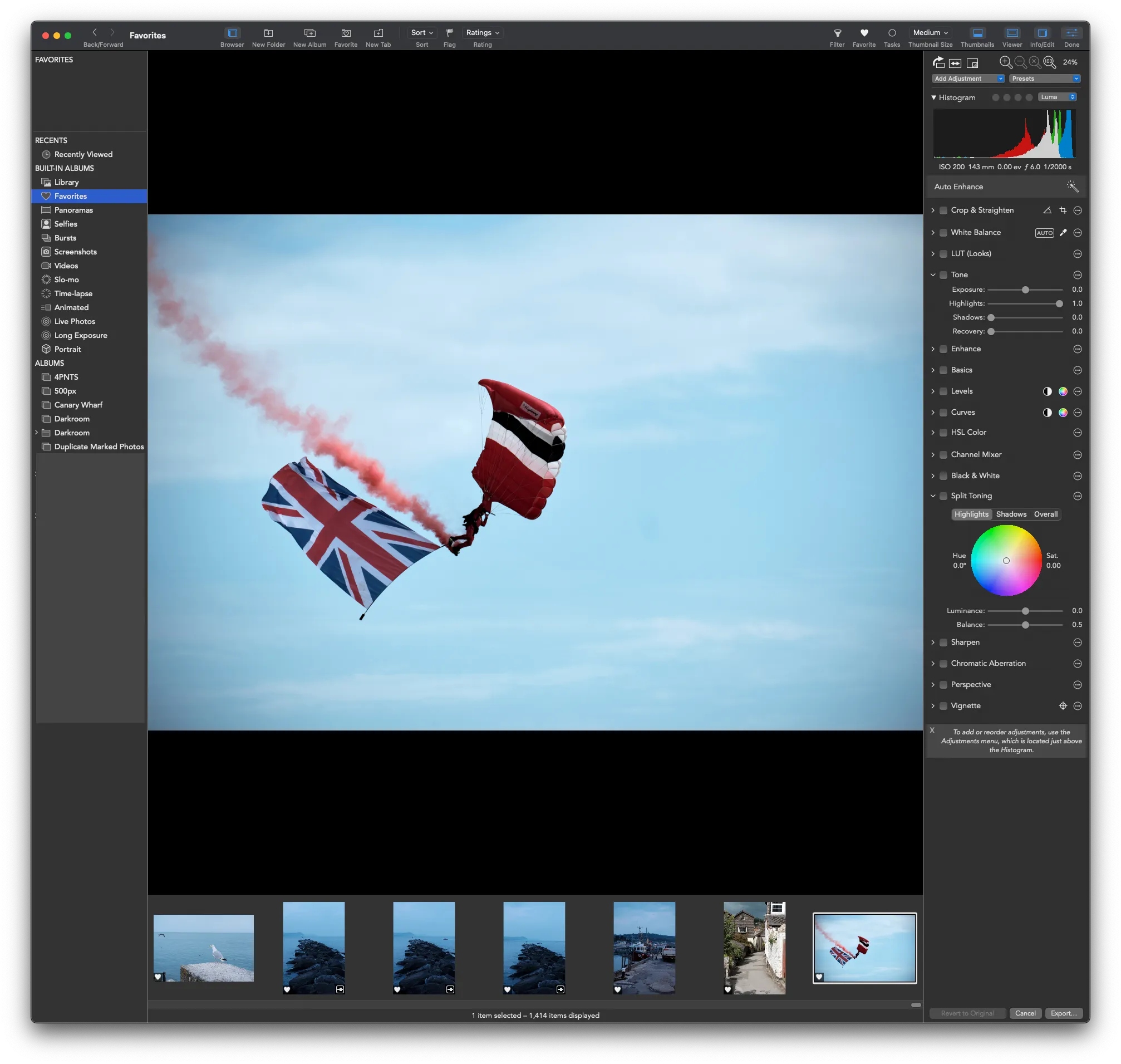
Some of the major features include:
- Batch processing—Apply similar edits to multiple photos at the sime time.
- LUTs and presets—Apply saved edits to photos quickly
- Star ratings, flags and filters—As opposed to the binary ‘love’ in Apple Photos
- Hot and cold pixel clipping indicators—Visualise which areas of an image are too dark or too bright
- Full curves adjustments—Extremely powerful method of fine tuning the tonal curve of the image
- HSL Colour and Split Toning—Full control over hue, saturation and luminance
- Channel mixer—Control how much RGB is in each RGB channel
- Auto enhancer—One click enhancement
- Auto white balancer—One click white balance
I have become used to using Capture One Express for Fuji (which is the free, pared down version), but this new support for my preferred file format is likely to tempt me back.